
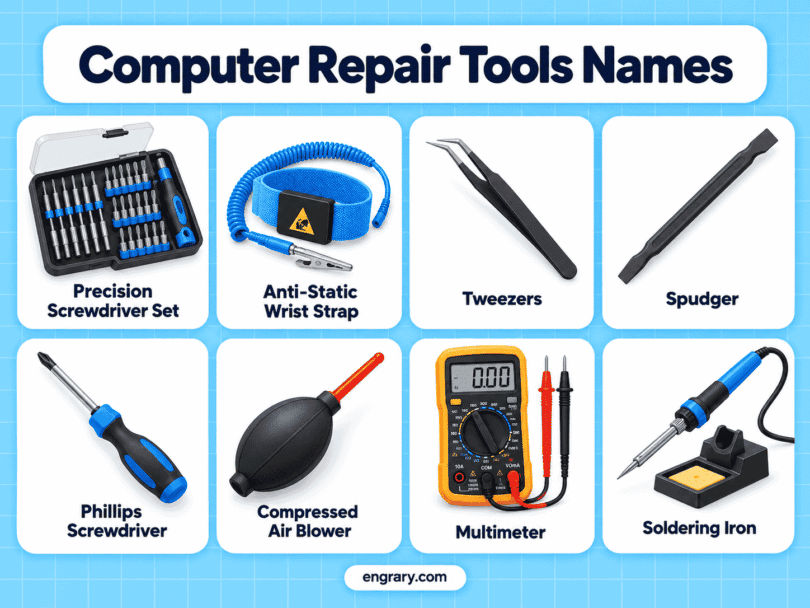
Computer repair tools help technicians open laptops and desktops, replace hardware, diagnose power problems, test cables, clean internal parts, repair circuit boards, and organize tiny screws and components. Learning common computer repair tools names in English makes it easier to recognize the equipment used for PC maintenance, laptop repair, hardware troubleshooting, networking, and motherboard work.
This article covers 80 useful computer repair tools with their main functions. You will also learn which tools help diagnose a computer that will not start, which equipment suits laptops and desktops, how similar repair tools differ, and what commonly belongs on a computer technician’s workbench.
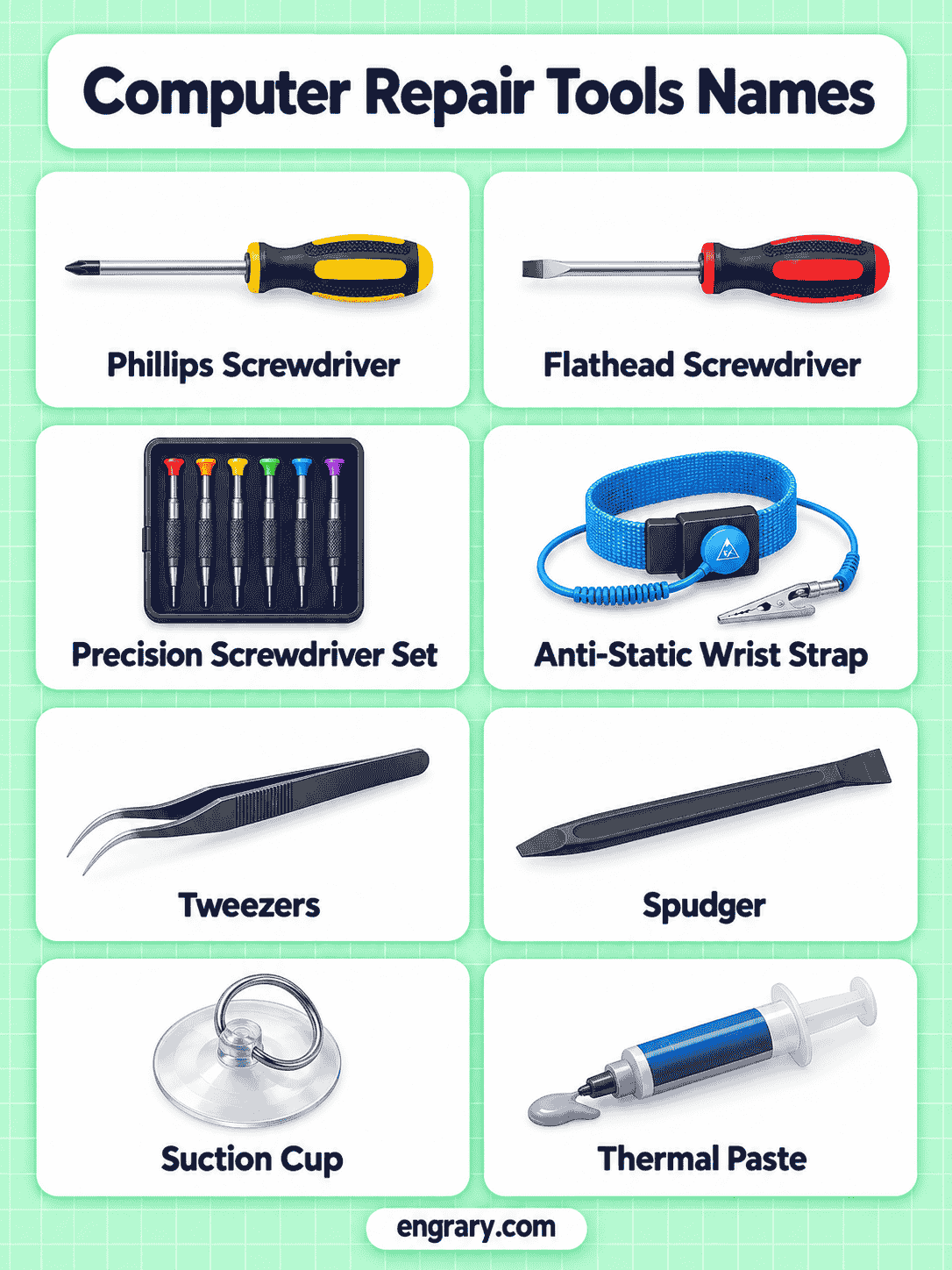
Familiar Tools Used in Computer Repair
Computer technicians regularly combine precision hand tools with testing, cleaning, anti-static, and diagnostic equipment.
Precision Screwdriver
A small driver turns the tiny screws found in laptops, drives, cases, and internal hardware.
Plastic Spudger
Its non-metallic edge disconnects cables and separates delicate plastic components.
Opening Pick
A thin pick slides through seams to release clips on laptops and compact computers.
ESD Wrist Strap
The grounded strap helps control static charge while sensitive electronic parts are handled.
Digital Multimeter
Voltage, resistance, continuity, and other electrical values can be checked during troubleshooting.
Power Supply Tester
Dedicated connections help verify whether a desktop power supply produces expected outputs.
POST Diagnostic Card
Startup codes can provide clues when a motherboard fails during the boot process.
ESD Tweezers
Fine anti-static tips handle connectors, screws, jumpers, and small components.
Electric Air Duster
A strong air stream removes loose dust from fans, heatsinks, vents, and computer cases.
Soldering Iron
A heated tip joins wires, terminals, and suitable electronic components.
Hot Air Rework Station
Controlled hot air supports surface-mount component removal and installation.
Network Cable Tester
Wiring continuity and pin order can be checked in compatible Ethernet cables.
RJ45 Crimper
Mechanical jaws attach compatible modular plugs to network cable.
Drive Docking Station
A removable drive can connect externally for testing, cloning, or data access.
Digital Microscope
Magnified imaging reveals connector damage, solder joints, corrosion, and tiny board components.
Bench Power Supply
Controlled voltage and current support board-level diagnosis and electronic testing.
Magnetic Project Mat
Small steel screws remain organized during laptop or desktop disassembly.
Needle-Nose Pliers
Long narrow jaws grip wires, clips, and small hardware in restricted spaces.
Thermal Camera
Temperature patterns can reveal unusually hot components or possible board faults.
Laptop Repair Stand
An adjustable support holds a laptop at a more convenient angle during repair.
Tools for Opening Computers and Reaching Internal Hardware
Laptop cases, compact PCs, and some desktop components use small or specialized fasteners, clips, and tight-fitting covers.
Precision Phillips Screwdriver
Its small cross-shaped tip fits many laptop, desktop, drive, and bracket screws.
Precision Flathead Screwdriver
A narrow straight blade turns miniature slotted screws and supports light adjustment work.
Torx Driver
Star-shaped tips fit Torx fasteners used in drives, laptops, power supplies, and computer hardware.
Security Torx Driver
A center recess allows the tip to engage compatible tamper-resistant Torx screws.
Pentalobe Screwdriver
Five-point tips fit certain compact computers and other electronic devices.
Tri-Point Screwdriver
Three-wing fasteners found in selected electronics require this specialized driver.
Precision Bit Driver
Interchangeable bits let one handle work with several computer fastener types.
Plastic Spudger
A nonconductive edge lifts connectors, separates clips, and moves delicate cables.
Opening Pick
Thin flexible material slides between tightly fitted case sections.
Suction Cup
Vacuum grip provides controlled lifting force on smooth screens and panels.
Tools for Protecting and Handling Sensitive Computer Parts
Static electricity and careless handling can damage RAM, motherboards, processors, and other sensitive components.
ESD Wrist Strap
A grounding connection helps keep static charge under control while components are handled.
ESD Mat
The dissipative work surface provides a safer area for servicing sensitive computer hardware.
ESD Tweezers
Fine anti-static tips position tiny connectors, jumpers, screws, and board components.
Magnetic Project Mat
A marked magnetic surface keeps steel screws organized during disassembly.
Component Tray
Separate compartments prevent small screws, clips, and hardware from becoming mixed.
Parts Organizer
Multiple sections store small connectors, fasteners, jumpers, and repair hardware.
IC Extractor
Specialized gripping ends lift compatible integrated circuits from sockets with more even force.
Vacuum Pickup Pen
Gentle suction lifts small flat components without squeezing them between metal jaws.
PCB Holder
Adjustable supports keep a circuit board stable during testing or soldering.
Soft-Jaw Mini Vise
Protected jaws hold small components while reducing marks on delicate surfaces.
Tools for Diagnosing Power, Boot, and Hardware Problems
Computer troubleshooting often begins with testing power, electrical continuity, temperature, startup behavior, and connected cables.
Digital Multimeter
Direct measurements help check voltage, resistance, continuity, and electrical connections.
Power Supply Tester
Desktop PSU connectors plug into the tester for a quick check of major output rails.
POST Diagnostic Card
Displayed startup codes can help narrow down motherboard boot failures.
USB Power Meter
Voltage and current passing through compatible USB connections appear on a compact display.
Network Cable Tester
A remote and main unit check Ethernet conductors for continuity and wiring order.
Continuity Tester
An intact electrical path between two points can be confirmed quickly.
Infrared Thermometer
Non-contact temperature readings help identify overheating parts and cooling problems.
Thermal Camera
Heat patterns across a board can highlight unusually warm chips, power sections, or connections.
Logic Analyzer
Digital signal states and timing can be captured across several channels during advanced diagnosis.
Inspection Borescope
A small camera probe provides views inside confined computer cases or equipment spaces.
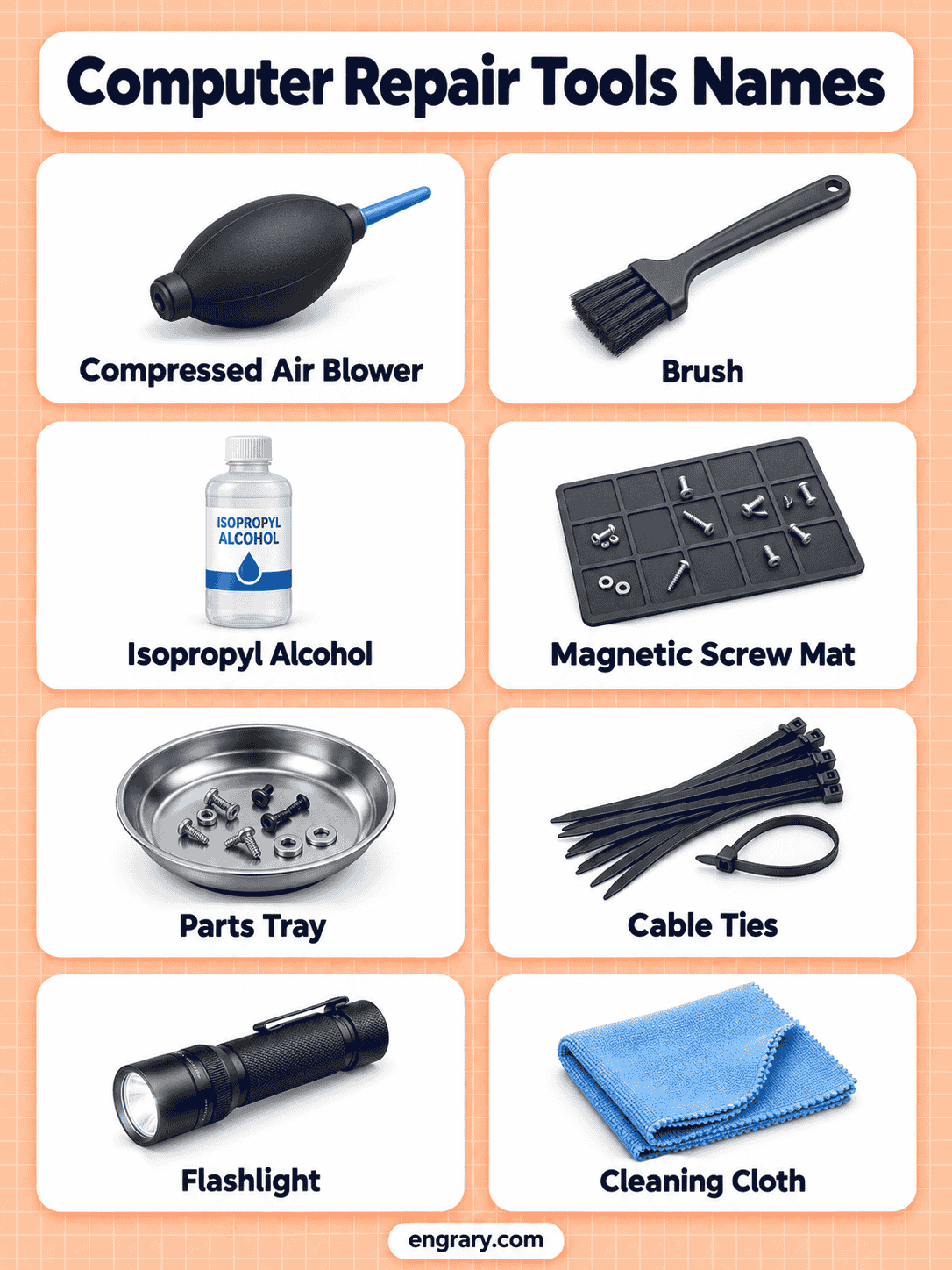
Tools for Cables, Connectors, and Network Repairs
Computer repair often involves network cables, small wires, terminals, connectors, and damaged harnesses.
Wire Stripper
Sized openings remove insulation without intentionally cutting the metal conductor.
Flush Cutter
Flat cutting jaws trim small wires, leads, and cable ties close to a surface.
Needle-Nose Pliers
Long tapered jaws grip connectors, wires, and small hardware in tight spaces.
Small Crimping Tool
Mechanical compression secures suitable terminals onto prepared wires.
RJ45 Crimper
The crimping dies attach modular Ethernet plugs to prepared network cable.
Punchdown Tool
A spring-loaded blade seats conductors into compatible insulation-displacement terminals.
Connector Pin Extractor
Thin shaped tips release contacts from compatible connector housings.
Cable Tie Tensioning Tool
Controlled tension tightens cable ties consistently and can trim the excess tail.
Ferrule Crimper
Shaped dies compress ferrules onto stranded wire ends for suitable connections.
Cable Sheath Cutter
A controlled blade opens outer cable jackets while reducing damage to conductors inside.
Tools for Cleaning, Cooling, and Thermal Maintenance
Dust, blocked airflow, old thermal material, and dirty contacts can contribute to heat and reliability problems.
ESD-Safe Cleaning Brush
Static-conscious bristles loosen dust around circuit boards, fans, connectors, and components.
Electric Air Duster
Powered airflow clears loose dust from heatsinks, vents, keyboards, and computer cases.
Hand Air Blower
Manual pressure creates a focused air stream without requiring electrical power.
Precision Vacuum
Small attachments collect loose debris from suitable computer interiors and work areas.
Fiberglass Scratch Brush
Fine abrasive fibers remove light oxidation or corrosion from suitable metal contacts and surfaces.
Fan Cleaning Brush
Soft narrow bristles reach fan blades, grilles, and heatsink edges.
Thermal Paste Spatula
A flat edge spreads thermal compound across a suitable processor or heatsink surface.
Heatsink Fin Comb
Thin aligned teeth help straighten slightly bent fins on compatible cooling assemblies.
Air Nozzle Gun
Compressed air passes through a narrow nozzle for controlled cleaning around equipment.
Adhesive Scraper
A thin edge removes old pads, labels, residue, and compatible adhesive from repair surfaces.
Tools for Soldering and Motherboard-Level Repair
Board-level work requires more specialized equipment than ordinary part replacement.
Soldering Iron
A heated metal tip melts solder at wires, terminals, and suitable electronic joints.
Soldering Station
Temperature control and a powered base provide more consistent bench soldering.
Hot Air Rework Station
Heated airflow removes or installs surface-mount components without direct tip contact.
Desoldering Pump
Manual suction pulls molten solder away from a heated joint.
Desoldering Gun
Built-in heating and suction simplify repeated through-hole solder removal.
Hot Tweezers
Two heated tips grip and release compatible small surface-mount components.
PCB Preheater
Gentle heat beneath a circuit board reduces thermal stress during demanding rework.
Solder Fume Extractor
A fan and filter draw soldering fumes away from the immediate work area.
BGA Rework Station
Controlled heating supports advanced removal and installation of compatible BGA packages.
Reflow Hot Plate
An evenly heated surface warms suitable boards or assemblies from below.
Tools for Drives, Data, and Network Service
Storage-device and network work often requires adapters and dedicated test equipment rather than ordinary hand tools.
SATA-to-USB Adapter
A SATA drive can connect through USB for testing, recovery, cloning, or temporary access.
Drive Docking Station
Bare compatible drives slide into an external dock without installation in a computer case.
Hard Drive Duplicator
One storage drive can be cloned directly to another compatible drive.
M.2 NVMe Enclosure
An M.2 drive connects externally through a compatible USB interface for testing or data access.
Network Loopback Tester
Returned test signals help verify selected network ports and interfaces.
Tone Generator
A traceable electrical tone travels along compatible network or communication cable.
Tone Probe
The handheld probe detects a matching tone to help identify a cable among several runs.
SATA Cable Tester
Compatible SATA connections can be checked for continuity or wiring faults.
RAM Tester
Dedicated hardware checks compatible memory modules for selected faults.
Drive Write Blocker
The interface allows data to be read from a storage device while preventing unintended writes during specialized work.
Tools That Make a Computer Repair Bench Easier to Use
Good bench equipment improves visibility, stability, power control, screw organization, and access to awkward areas.
Magnifying Lamp
Integrated lighting and magnification enlarge connectors, solder joints, and small components.
Digital Microscope
A screen displays enlarged images of board traces, ports, corrosion, and electronic parts.
Bench Power Supply
Adjustable voltage and current provide controlled power during advanced testing.
Motherboard Test Bench
An open frame holds computer hardware where components remain easy to access and swap.
LED Inspection Light
Bright portable illumination reveals connectors, labels, ports, and hidden case areas.
Magnetic Pickup Tool
A magnetic tip retrieves dropped screws from narrow or obstructed spaces.
Flexible Claw Pickup Tool
A long flexible shaft grabs nonmagnetic parts that fingers cannot reach.
Screw Sorting Tray
Separate sections keep screws grouped according to size or removal location.
Silicone Repair Mat
A heat-resistant surface provides organized areas for tools, hardware, and electronic work.
Laptop Repair Stand
Adjustable support improves access to the underside and internal sections of a laptop.
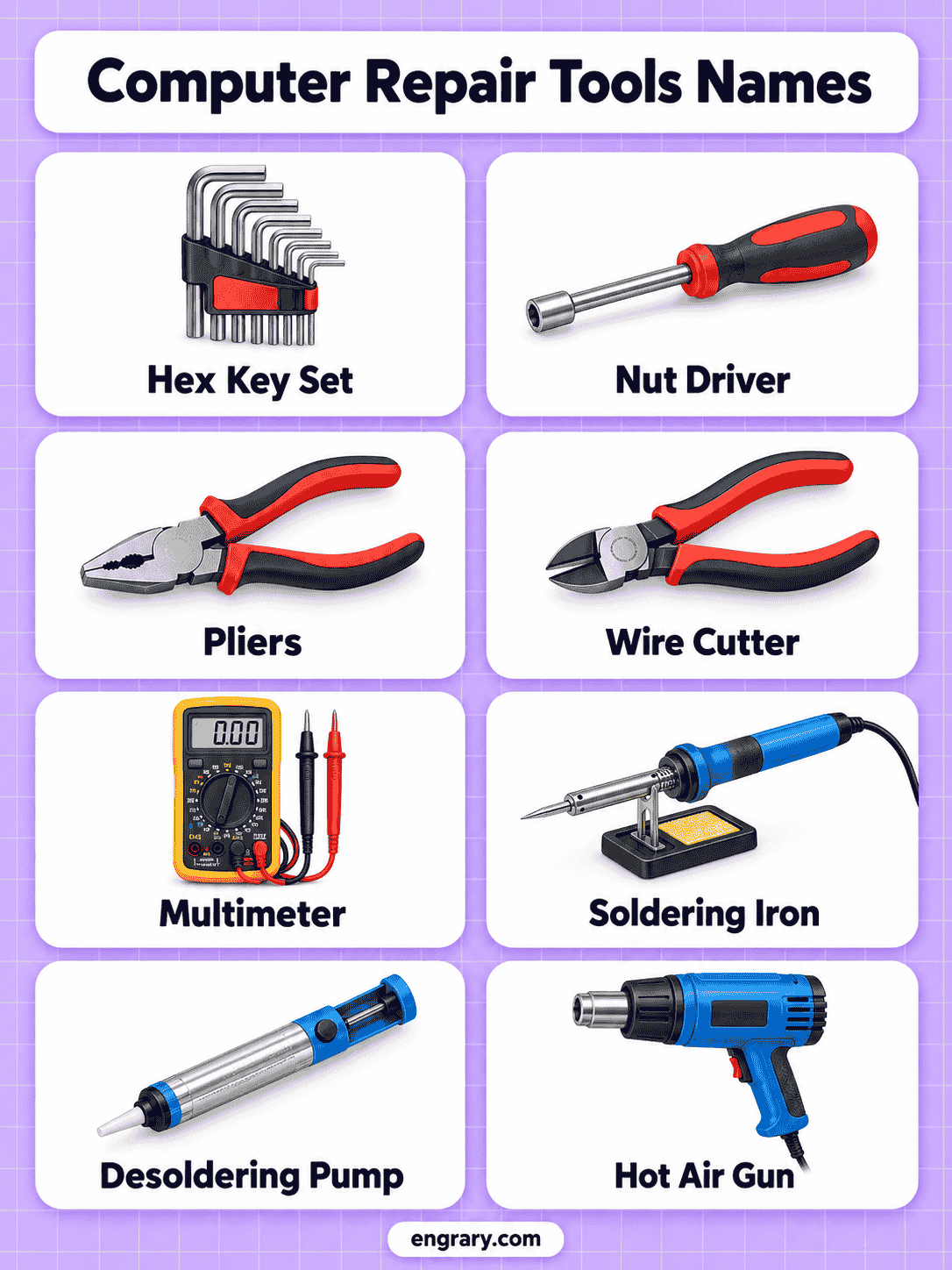
Tools for a Computer That Will Not Power On or Boot
Different symptoms call for different diagnostic tools.
| Problem | Useful Tools |
|---|---|
| No Power | Multimeter, Power Supply Tester |
| Failed POST | POST Diagnostic Card, Multimeter |
| Random Shutdown | Thermal Camera, Infrared Thermometer |
| Charging Problem | USB Power Meter, Multimeter |
| Suspected RAM Fault | RAM Tester |
| Network Failure | Cable Tester, Loopback Tester |
| Drive Not Detected | SATA-to-USB Adapter, Drive Dock |
| Board-Level Fault | Bench Power Supply, Microscope, Logic Analyzer |
This approach helps connect each tool to a realistic computer-repair problem rather than treating diagnostics as a separate vocabulary list.
Laptop Repair Tools and Desktop Repair Tools
Laptop and desktop computers share many basic tools, but their physical layouts create different repair needs.
| Laptop Repair | Desktop Repair |
|---|---|
| Precision Bit Driver | Standard Screwdriver Set |
| Opening Pick | Socket or Nut Driver |
| Plastic Spudger | Needle-Nose Pliers |
| ESD Tweezers | Cable Tester |
| Magnetic Project Mat | Power Supply Tester |
| Suction Cup | POST Diagnostic Card |
| Laptop Repair Stand | Motherboard Test Bench |
Laptop repair tends to involve smaller fasteners, clips, flex cables, and tightly fitted covers. Desktop work generally offers more internal space but often involves larger power, cable, drive, and expansion-card components.
Tools for Cleaning, Upgrading, and Replacing PC Hardware
Different maintenance jobs rely on different combinations of repair equipment.
| Computer Job | Useful Tools |
|---|---|
| RAM Upgrade | ESD Strap, Precision Screwdriver |
| SSD Replacement | Precision Driver, SATA-to-USB Adapter |
| CPU Cooler Service | Screwdriver, Thermal Paste Spatula |
| Dust Cleaning | Electric Air Duster, Cleaning Brush |
| Fan Replacement | Screwdriver, Needle-Nose Pliers |
| Network Cable Repair | Wire Stripper, RJ45 Crimper |
| Port Repair | Microscope, Soldering Station |
| Motherboard Diagnosis | Multimeter, POST Card, Bench Power Supply |
This keeps the article tied to the repair tasks computer owners and technicians commonly perform.
Computer Repair Tools That Are Easy to Confuse
Some computer-repair tools perform related jobs, but their designs and purposes differ.
| Tools | Main Difference |
|---|---|
| Spudger vs Opening Pick | A spudger handles internal connectors and light prying, while an opening pick slides through outer case seams. |
| Multimeter vs Power Supply Tester | A multimeter measures many electrical values directly, while a PSU tester focuses on desktop power-supply outputs. |
| POST Card vs OBD-Style Diagnostic Tools | A POST card reads computer startup codes, while vehicle diagnostic tools serve automotive systems and do not replace PC diagnostics. |
| Soldering Iron vs Hot Air Rework Station | A soldering iron heats a joint through direct tip contact, while hot air warms a wider component area without touching it. |
| Electric Air Duster vs Precision Vacuum | An air duster blows loose particles away, while a vacuum collects debris through suction. |
| Drive Dock vs SATA-to-USB Adapter | A dock holds bare drives in a fixed base, while a cable adapter provides a lighter portable connection. |
| Digital Microscope vs Magnifying Lamp | A digital microscope offers much greater magnification, while a magnifying lamp suits broader inspection and assembly work. |
| Wire Stripper vs Flush Cutter | A stripper removes insulation, while a flush cutter trims wires and component leads. |
The correct choice depends on whether the task involves opening, testing, cleaning, soldering, data access, or cable repair.
Equipment Commonly Found on a Computer Repair Bench
A practical repair bench usually combines precision hand tools, anti-static protection, testing instruments, magnification, and organization.
Typical bench equipment includes:
- Precision Driver Set
- ESD Mat
- Magnetic Project Mat
- Digital Multimeter
- Bench Power Supply
- Digital Microscope
- Soldering Station
- Hot Air Rework Station
- Electric Air Duster
- Parts Organizer
This setup supports both ordinary hardware replacement and more advanced motherboard troubleshooting.
Items Used Alongside Computer Repair Tools
Computer repair also relies on supplies and replacement materials that should not be counted as tools.
Thermal Paste
The compound improves heat transfer between suitable processors and cooling surfaces.
Thermal Pads
Soft conductive pads bridge small gaps between components and heatsinks.
Isopropyl Alcohol
A suitable concentration helps clean thermal compound, flux residue, and some electronic surfaces.
Microfiber Cloth
Soft material wipes screens and suitable finished surfaces with reduced scratching.
Cable Ties
Small ties organize loose cables inside computer cases and work areas.
Solder
Filler metal forms electrical joints during soldering work.
Flux
The chemical preparation helps solder flow across suitable metal surfaces.
Replacement Screws
Correctly sized fasteners replace missing or damaged computer hardware screws.
These materials support repair work, but they are consumables, supplies, or replacement parts rather than repair tools.
FAQs
Common computer repair tools include precision screwdrivers, spudgers, ESD straps, tweezers, multimeters, power-supply testers, air dusters, cable testers, soldering tools, and magnetic project mats.
Laptop repair commonly requires precision screwdrivers, opening picks, plastic spudgers, ESD protection, tweezers, magnetic screw organization, cleaning tools, and diagnostic meters.
A digital multimeter, power-supply tester, POST diagnostic card, RAM tester, thermal camera, and bench power supply can help investigate different power and startup faults.
Board-level work may require a digital microscope, multimeter, bench power supply, soldering station, hot air rework station, PCB holder, preheater, and desoldering equipment.
Computer repair tools focus on laptops, desktops, storage drives, PC power systems, networking, and computer hardware. Electronics tools cover a broader range of circuit boards, components, prototypes, signals, and electronic devices.
You May Also Like

Leave a Comment